


 ..
..

 ..
..

 ..
..
..
..
last time when i printed some books, i basically created images out of the pdf to then crop and put back into a pdf. this approach worked however it added blur to the final generated pdf. and there was a font problem where if the book/spec had a very thin monospace font, i didn't know how to change it. i found a solution to both of these problems.
i searched quite a bit, on the archwiki and on forums in general and i couldn't find some magical command to change a specific font in the pdf. instead i found that i can edit the pdf with libreoffice-draw and replace certain fonts with other fonts. this worked quite well.
Steps:
Tools > Options > LibreOffice > FontsAlways checkbox, click apply & ok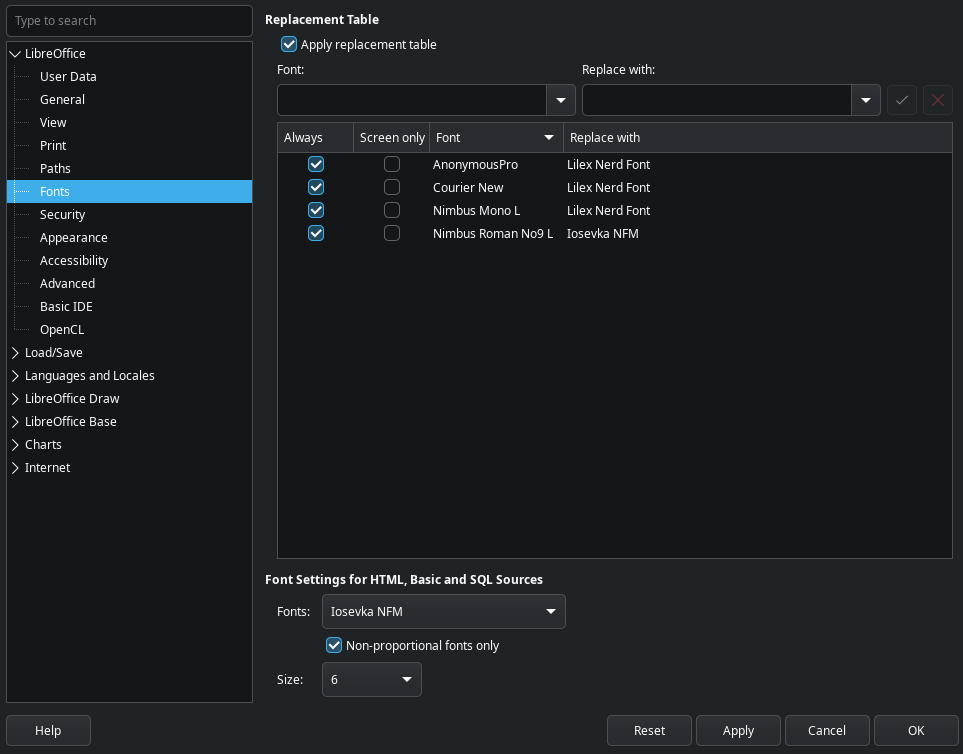
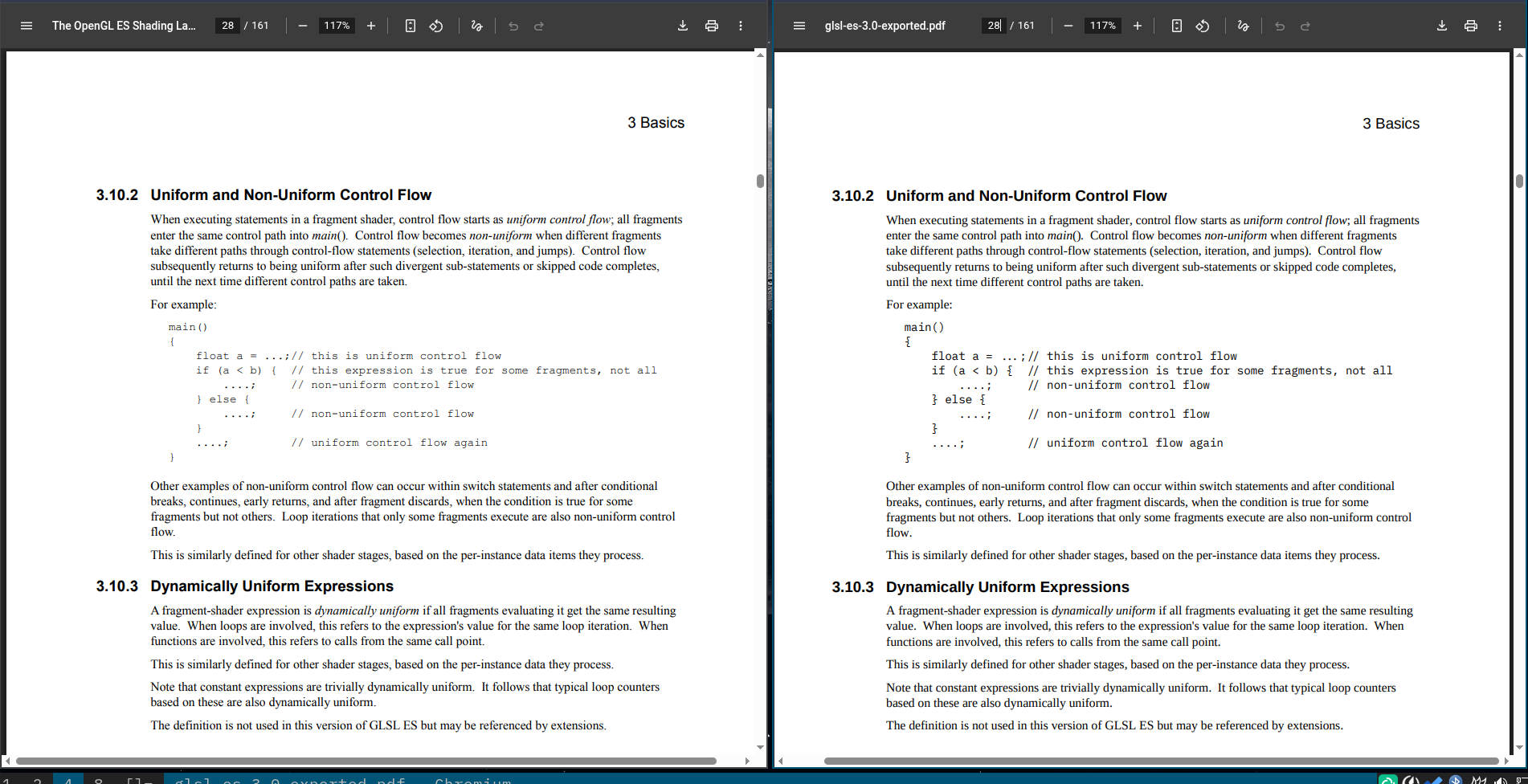
you might want to adjust the replacement font sizes a bit or it might be a bit off from the center of the line. as you can see below, the exported pdf is much more readable & printable.
pdfcrop is an amazing tool which can remove the page margins, or set
them to a desired value. i set 25mm on all sides with the following
command and you can see how much area we saved (effectively zoomed
in).
pdfcrop --margins '25 25 25 25' in.pdf out.pdf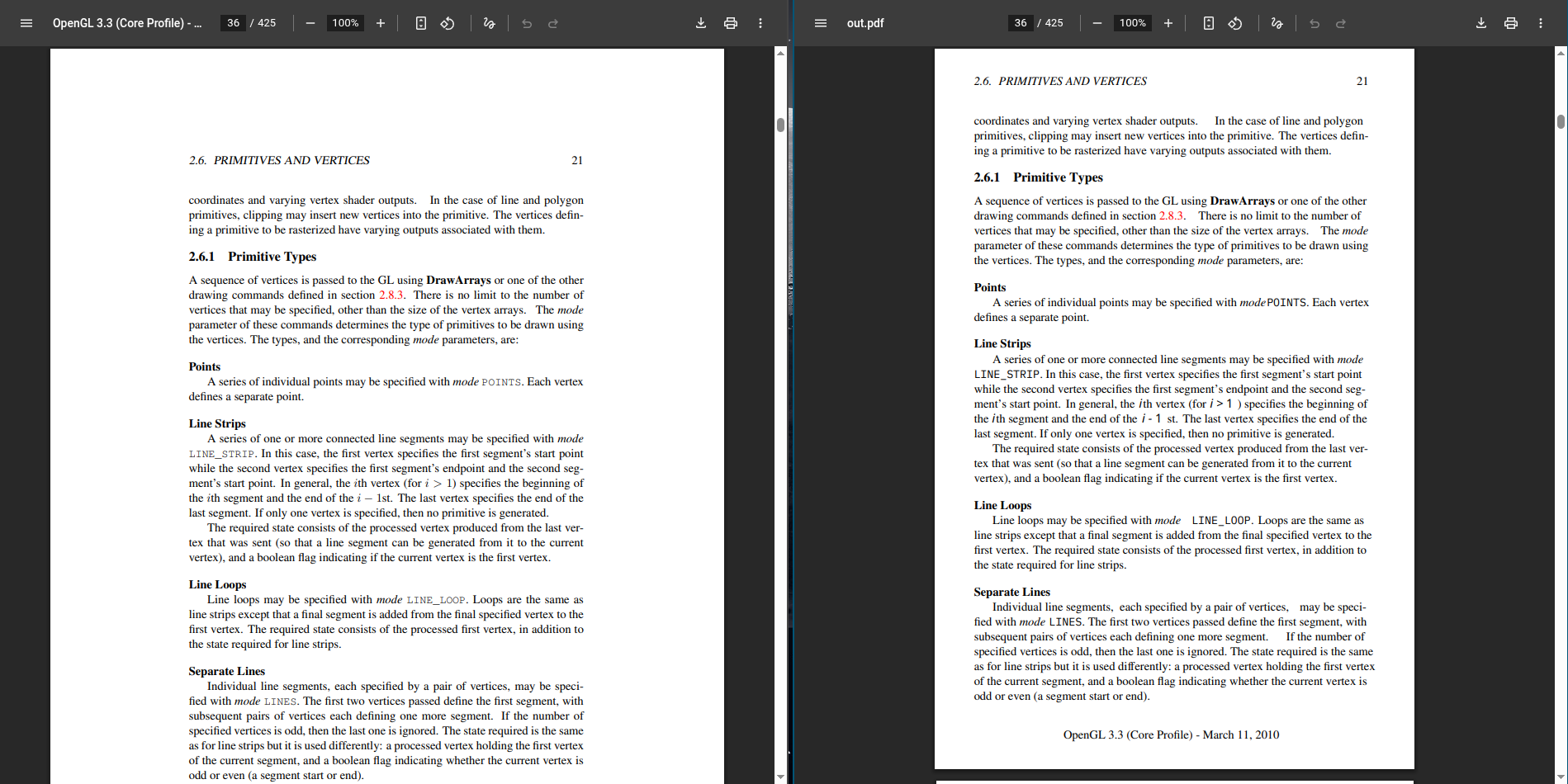
this might not seem like a big difference as these files are still pdfs, but when they get printed to the paper, the one on the right will be way more larger than the one on the left as the text is going to get more area on the page.
i am quite happy with how it turned out, though i have already printed most of the books/specs i needed :_).